Last Updated on January 4, 2026
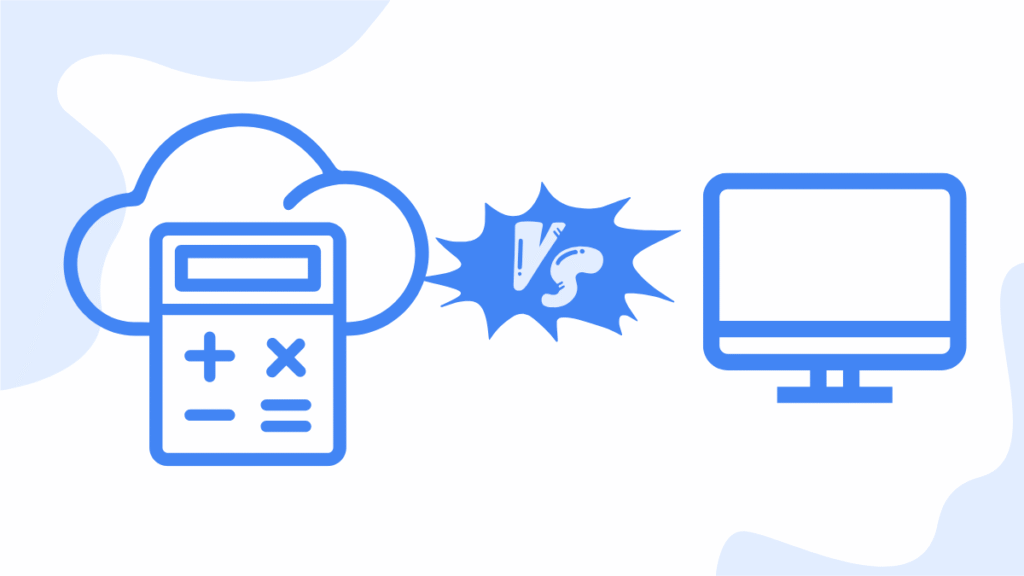
According to Flexi, 58% of businesses moved away from desktop accounting and embraced cloud accounting.
Cloud accounting is only part of a whole host of cloud services that have made it easy for businesses to conduct day to day operations.
If you’re still tied to one location, relying on manual systems to manage your finances, it’s time to make your business future-proof.
In this article, I dive deep on the top benefits of cloud accounting so that you understand how this impacts your business.
I’ve made it easy for a beginner to understand while capturing all the essential points.
Gone are the days when you rely on a separate IT department to update software and set up your accounting resources.
With cloud accounting, all your financial data is stored in remote secure servers that are 100% managed by the service provider.
You access the data using a mobile app or via a web browser which means you’re not tied down to one location.
The need for remote work has also facilitated the rapid development and uptake of cloud services so this is no longer a luxury, but a critical tool.
Let’s dive in and look at each benefit.
Jump To Section:
1. Accessibility and flexibility
One thing that makes cloud accounting stand out from traditional accounting is the ability to access your finances anywhere and at any time.
You have more control over your business while avoiding the inconvenience of getting tied to one location and one device.
This means you can use your smartphone, tablet or desktop as long as there’s internet connection.
Each top service provider has a mobile app available on Android or iOS devices.
In addition, there’s a browser-based version, usually accessed using your desktop computer.
Gone are the days where office hours restrict your ability to look at your finances because now you get 24/7 access with cloud accounting.
Easy collaboration
This makes it easy to collaborate, especially if your business relies on remote employees, has multiple branches or you outsource finance teams.
You give each team member custom permission so that they only see what you want them to access without revealing sensitive data.
Feedback from clients or fast interaction is also made easy as there’s a dedicated portal where clients leave comments, accept quotes and more, all without leaving the platform.
Real-time updates across devices
If there are any changes to your data, this is automatically synced across all online devices so that you always see the latest data.
With traditional accounting, you have to manually send emails or drives to team members which is slow and prone to introduce errors.
Increased mobility
Note that as I highlighted, you have no geographical restriction which means you can do business on the go
Your provider takes care of updates
The software runs in the cloud and is managed by a service provider.
This means all IT issues, updates and upgrades are handled automatically by your service provider.
You only worry about your core business and leave the technical IT issues to the experts.
2. Real-time financial insights
Another top benefit of cloud accounting is that you have full access to financial reports in real time.
There’s no need to wait until the end of the month to know how your business is performing.
You make faster, better business decisions, eliminating any guesswork in managing cash flow.
This is made possible through the following features:
Live bank integrations
When you open your account with a service provider, you’re asked to add your bank.
Bank transactions are automatically pulled in so that your account balances are up to date.
This saves time when reconciling books, minimizing errors and the need to enter transactions manually.
Instant financial dashboards
The cloud accounting platform comes with easy-to-read dashboards that you can organize according to your needs.
Here you easily see account balances, expenses, income, outstanding invoices and these are updated continuously.
You quickly see where your money is coming from and where it’s going, thus making quick financial decisions.
Immediate access to reports
There’s no need to wait for a monthly report to know whether you made a profit or a loss.
You use current data to generate a profit and loss statement, balance sheet, cash flow report and more.
This is essential in investor meetings, loan applications or when you want to do an internal review.
Accurate forecasting
Since you are working with current data at any given moment, you make more accurate financial projections.
There’s no need to use outdated figures, which may be inaccurate as desktop accounting uses a lot of manual data entry.
Real-time tracking of outstanding invoices
You easily track invoices that haven’t been paid in real time and send reminders.
This means you get paid faster while maintaining professionalism.
Better decision-making
When you need to make a major transaction, it’s easy to see your current financial health by using real-time financial data.
By making data-driven decisions, you avoid making financial mistakes that may cost your business.
3. Cost efficiency
With cloud accounting, you avoid a huge upfront cost of IT infrastructure and setup costs.
Unlike traditional accounting, there’s no need to have a dedicated IT team to maintain the accounting software as this is all done by the service provider.
Lower upfront costs
As I highlighted, as a small business or freelancer, you want to keep costs down.
The last thing you need is to be burdened by the cost of software licences, servers and IT infrastructure.
Cloud accounting platforms work with a relatively low monthly subscription model and you only pay for features you want to use.
No maintenance costs
The service provider handles the software updates, bug fixes or any addition of new features.
You focus on core business without worrying about all these things.
A dedicated in-house IT team means you fork out more resources, which is a major drawback of traditional accounting.
Minimized paperwork
With cloud accounting you generate digital invoices, receipts and reports.
This means you save on printing costs and this is also friendly to the environment.
Elimination of redundant tools
A lot of features are integrated in the cloud accounting platform which means you save money on extra services or apps.
Features like time tracking, invoicing, inventory tracking, payroll and more are available in the platform.
There’s no need to use multiple systems that may introduce duplication of tasks, thus causing inefficiencies.
Focus on core business
Cloud accounting uses a double entry system that replaces manual bookkeeping and accounting.
You can now focus your time and energy on tasks that promote business growth.
Scalable as your business grows
Pricing plans in cloud accounting are tailored to your needs.
Some service providers even have free plans, perfect if you’re just starting out and you want to keep costs low.
However, as your business grows you need more features, which may not be available in a lower plan.
Upgrading to a higher plan is seamless and there’s no need to switch platforms, especially if you work with one of the top cloud accounting providers.
4. Data security and backup
Since your financial data is stored in remote servers, choosing a good provider is very important to ensure your data is safe.
In most cases, these security measures far exceed what traditional accounting systems offer.
Bank-grade encryption
Cloud accounting software uses 256-bit SSL encryption to protect your data during transfer and storage.
This level of protection is used by major banks so there’s zero possibility of unauthorized access.
Make sure you choose recommended providers that adhere to strict data security protocols.
Secure data centers
Instead of storing data in your office on a storage device like a USB, data in cloud accounting is stored in data centers with strict physical and cybersecurity controls.
These centers are professionally managed which gives you a peace of mind if you work with sensitive financial data.
Providers comply with privacy and security standards like GDPR, SOC-2 and other industry regulations.
Automatic backups
Data backup is automatic and seamlessly synced across remote servers to provide multiple layers of security and storage.
In the event of a server crash, accidental data loss or data corruption, restoration is fast and seamless you won’t even notice anything.
Controlled user access
If you have team members, you can give them custom permissions so that they only access data that you want them to see.
This is all done securely in the platform, unlike in traditional accounting where there’s a risk of exposing sensitive data to unauthorized users.
Multi-factor authentication
There’s an option to enable 2-factor authentication, which adds an extra layer of security.
Any user who wants to login enters a password and enters a code sent to a mobile device.
Reduces risk of data loss or theft
If your mobile device or desktop computer is lost, stolen or damaged, you can still recover your financial data as it is stored in the cloud.
In traditional accounting, you risk losing 100% of your data or you go through a tedious process of piecing together manual records.
Audit trails
In cloud accounting, every action is logged which helps with internal accountability.
There’s a reduction of unauthorized tampering with data, an issue that plagues traditional accounting.
5. Automation and time savings
One of the best features of cloud accounting is automation of tasks which saves valuable time.
Let’s look at the various tasks that are automated and the platform continues to evolve to include new tasks.
Bank reconciliation
By adding your bank to the platform, transactions are automatically imported and matched with your records.
This drastically reduces the time taken to reconcile your books as entries are not done manually.
Recurring invoices and billing
If you have repeat customers you can set up recurring invoicing so that you get paid early and faster.
This is good if you run a service-based business where autobilling and monthly subscriptions are present.
Expense categorization
Expenses are automatically categorized based on previous behaviour and vendor names.
Some platforms use AI or custom rules to do that and this speeds up bookkeeping and improves accuracy.
Efficient payroll process
The payroll feature automatically calculates wages, deducts taxes and updates the general ledger.
This saves you hours in processing the payroll while maintaining accuracy.
Tax calculations and reporting
I know the tax season can be hectic and the last thing you want are errors in reporting.
Using cloud accounting, various taxes like VAT, sales tax or income tax are applied automatically to transactions or records in real time.
This means at any given point in time, your records are compliant to the regulations of the region or state.
Faster closing of books
Since your records are in order right from the start, this means at the end of the month you close books faster and with no errors.
The whole process becomes less stressful as all records are easily tracked on the platform.
Instant financial reports
With cloud accounting, there’s no need to manually create spreadsheets or use complex formulas.
Various reports like profit and loss, balance sheet, cash flow reports are automatically populated whenever you need them.
You can easily share, download or export these reports without wasting time.
Time tracking
If your business is service-based, you can accurately track billable hours and add them to invoices directly.
This enhances transparency with your clients and ensures that you get paid faster.
This feature is either built-in or is available as an add-on depending on your provider.
Reduce errors
By automation of tasks, you minimize human errors that are introduced by manual entry.
These errors can come as duplications, typos or miscalculations which can be costly to your business.
6. Collaboration with team members
This is another important strength of cloud accounting where you easily collaborate with team members and clients on the platform.
There’s no need to share login credentials or potentially expose sensitive data, a challenge with traditional accounting.
Real-time user access
Users can access and update the system anytime without any conflicts or delays.
Remote accountant or bookkeeper
You can invite your accountant to view, manage and audit your books any time.
Shared visibility
Having multiple users view the same data in real-time enhances accuracy and transparency.
Everyone sees the same live data thus decisions are not made using outdated spreadsheets.
Custom user permissions
You give users custom permissions so that only data you want to show each user is accessed.
This means sensitive data like bank accounts is only revealed to authorized users.
Activity logs
To enhance transparency and make audits easier, cloud accounting software logs every action by a user.
Simplified taxes
Tax preparation is made easy as your accountant easily pulls reports directly from the platform.
Resolution of issues
If there are issues with your books, the finance team or advisors can log in and check real-time data on the spot.
Outsource support
Cloud accounting makes it easier to outsource responsibilities like an accounting team without the need to have in-house staff.
Shared communication
It’s easy for your team to stay focused on financial goals as you all see the same data.
You can also view comments on the same platform so all resources are under one roof.
7. Scalability and integration
Cloud accounting allows your business to grow with the platform because you’re able to add more features tailored to your business needs.
Consequently, you are able to make long-term plans and adapt as your business grows.
There’s no need to switch platforms as all the features you need are available.
Flexible pricing plans
Providers have plans for any stage of your business and some even have free plans.
As your business grows, you need more services, more staff and more features.
It’s easy to switch to a higher plan and if you face any challenges there’s dedicated customer support to lead you by hand.
Add new users easily
Adding new users is done easily by a few clicks and you give each user custom permissions so that there’s no unauthorized access to sensitive data.
Expandable features
Most cloud accounting platforms have add-ons so that you get more functionality as your business needs increase.
Some of the features you find as add-ons are:
- Payroll processing
- Inventory management
- Advanced analytics
- Advanced reporting
- Project tracking
- Multi-currency support
App integrations
You also find a lot of third-party apps and tools, often in respective app stores of each provider, to add more features to the platform.
The provider vets each app so that it meets the security and functional standards.
Some of the apps you find include:
- E-commerce platforms e.g. Shopify, WooCommerce
- Payment gateways e.g. Stripe, PayPal
- CRM systems
- POS systems
- Payroll and HR tools
- Time-tracking tools e.g. Harvest
Streamlined workflow automation
Integrations enable data to be shared within the platform and this minimizes data silos.
Data flows smoothly between sales, expenses, inventory and customer departments.
This increases operational efficiency and reduces the need for manual entry.
API access
Developers can access the API of the platform and be able to build custom apps and tools that are tailored to your specific business needs.
Ready for international expansion
Most platforms support multiple currencies, tax jurisdictions and different languages, thus you’re able to operate in different countries and states.
This is either a built-in feature or you use an add-on that integrates seamlessly with existing systems.
8. Environmental benefits
Not only do you cut costs with cloud accounting but you also promote eco-friendly practices when you embrace it.
Paperless accounting
The need for printing and physical storage is drastically reduced as invoices, receipts, reports and records are digital.
Reduce office resource consumption
Once you start to use cloud accounting, you reduce the need for filing cabinets, cartridges, ink, courier services, printed reports to name a few.
Apart from saving money, you operate in a greener environment.
Remote access
If you have team members, the cost of commuting to the office is reduced, which also reduces emissions.
It’s easy to work from home and collaborate through the platform as I highlighted earlier.
Reduced energy consumption
Since there’s no need for on-site servers to store documents, reports and run accounting software, your electricity bill is not negatively impacted.
All the financial data is stored on remote servers which are managed by the provider.
9. Final thoughts
Cloud accounting is here to stay.
It’s no longer a trend but a standard so it’s important for your business to incorporate this technology so that you’re not taken out.
This is a cost-effective way to handle your finances with loads of advantages that I touched on above.
Whether you’re a freelancer, solopreneur, small business or you’re a rapidly expanding business, there’s a plan to handle your accounting needs.
Gone are the days when you get tied to your office desk as you now have freedom to access your finances 24/7 from anywhere.
Are you ready to take control of your finances? Check out the top cloud accounting softwares.

- Best Accounting Software For Restaurants In 2026 - January 5, 2026
- Best Accounting Software For Retail Businesses In 2026 - January 4, 2026
- Best Accounting Software For Property Management - January 4, 2026